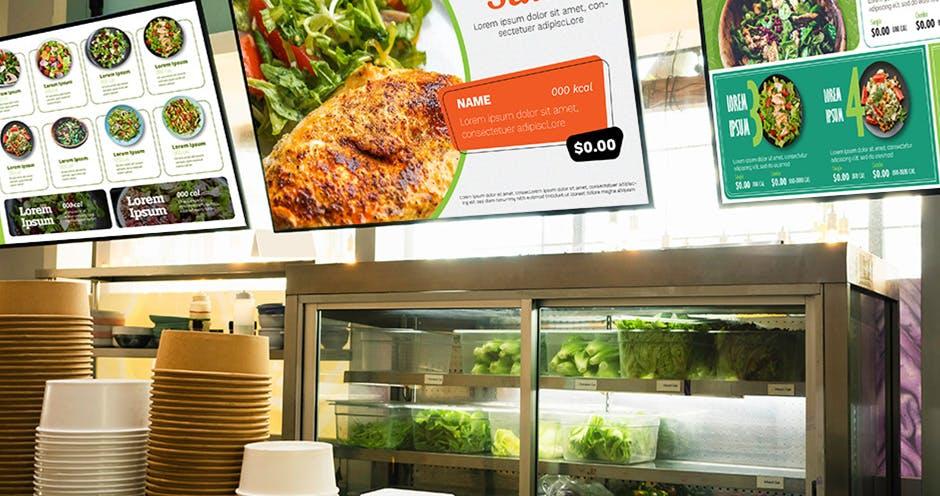
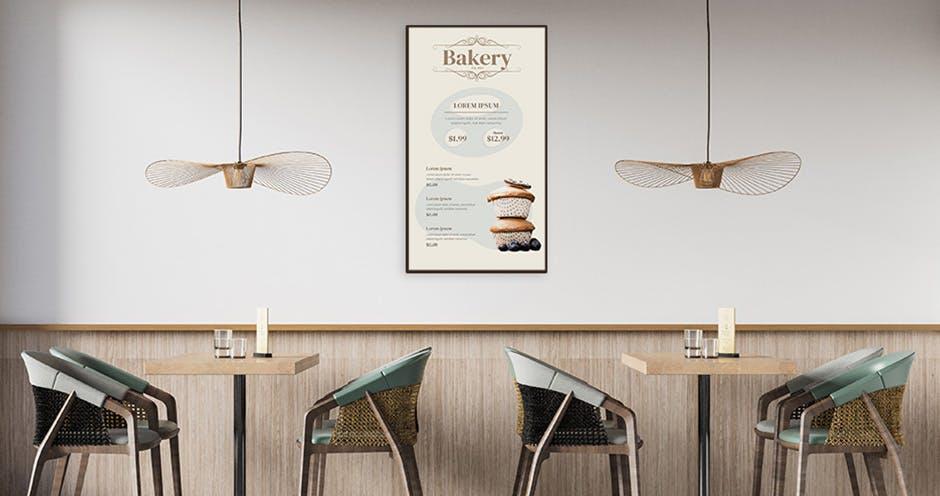
Updates to prices, items, or descriptions can be made in real time, ensuring that the menu is always accurate. Over time, digital menus are more cost-effective than traditional printed menus, which require reprinting for any update or change.
Digital menu board design can go a long way to determining their effectiveness. Here are nine tips on how to design digital menu boards to make them attractive and effective:
Tip 1: Incorporate a clear hierarchy
Prioritize your items. Your best sellers or most profitable items should be the most prominent. Group similar items such as appetizers, main courses, and desserts for the customers to read and understand more easily.
Tip 2: Think about legibility
Consider color, size of design elements, and font size and type. Sans-serif fonts like Arial or Helvetica are generally more legible from a distance. Additionally, ensure there is a high contrast between the text and background. White or light-colored text on a dark background often works best.
Tip 3: Ensure consistent branding
Reflect your brand’s colors, fonts, and style to maintain consistency across all customer touchpoints. Incorporate your logo and other branding elements subtly throughout the design.
Tip 4: Use the right imagery
Include high-quality, appetizing images of your food, but don’t overcrowd the space. Too many images can be overwhelming, while too few images can make the menu look dull and uninteresting. Ensure the images accurately represent the portion type, size, and ingredients to set realistic expectations.
Tip 5: Keep it simple
Menus should have elements that make it pleasant to look at but the design should always avoid clutter. Too much information or too many design elements can be distracting and hard to read from a distance. Consider icons or symbols for common dietary preferences such as vegetarian, gluten-free, or spicy to make messaging more concise and clear.
Tip 6: Employ motion
Use subtle animations to draw attention to specials or promotions without being too distracting. Ensure any moving elements are slow and smooth to avoid overwhelming customers.
Tip 7: Update frequently
Take advantage of the digital format to keep your menu current and the products customers are looking for depending on the season, specials available, and time of day. For example, the display can be changed depending on time of day to showcase breakfast, lunch, and dinner menus; As a perk, appetizers and desserts can be made more prominently during afternoons and late nights to support these menus.
Tip 8: Consider accessibility
Make a note of the height, angle, and display settings of your screens. They should be easily visible to all customers, including those in wheelchairs or those with conditions that make it difficult to differentiate color and contrast. Make sure the screens are angled so people can read it well regardless of their height. Use color schemes that are accessible to individuals with color vision deficiencies.
Tip 9: Test and tweak
Before finalizing, test your design in the actual environment to see how it looks under various lighting conditions and from different distances. Consider things like sun glare, reflection from lights in the space, and brightness levels during the day and night. Tweak the angle of screens to avoid glare and reflection. Ensure the brightness of your screen is enough to be clearly read during the day, but not overwhelming to customers reading at night or on cloudy days. Collect feedback from customers and staff and make adjustments as necessary.
How Digital Menu Boards Can Work For Your Business
Incorporating digital menu boards doesn’t have to be a challenge. The Samsung VXT digital signage solution simplifies the process of deploying digital menu boards, allowing for quick and intuitive content creation that can be easily managed from a central dashboard. Samsung VXT includes more than 170 free and well-designed templates to help simplify the design process.
The variety of features in Samsung VXT CMS ensures that menu boards are consistent throughout the system, no matter how many restaurants it includes. Content and pricing are always up-to-date, even when pricing or menu items differ across regions.
Read more about the benefits of incorporating Samsung VXT into a restaurant’s operation here.
Thousands of restaurant operators already using digital menu board systems are reaping the benefits of digital signage for restaurants.To see how the Samsung VXT CMS can benefit your operation, sign up for a free trial. Users can experience the VXT solution on a PC without needing to connect to a display.